Troubleshoot
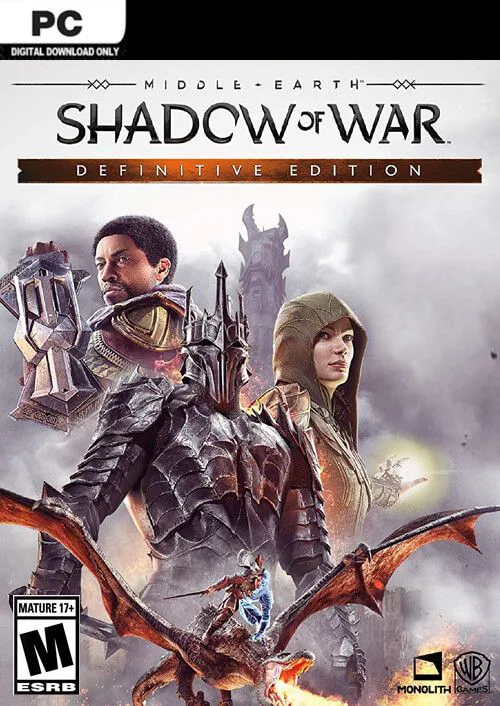
About the Game
We request all members go through these FAQs before complaining about issues regarding your games not working, crashes, DLL errors and anything of the likes. We have listed out and answered most common issues that have been asked of us over the years, so please do read through them, however, if these FAQs do not help your particular situation, you are free to join our Discord Server, and ask for support there, we will be happy to assist. We are also always looking for more support representatives, so if you have the time and the knowledge, we would like to have you on our Staff Team. I don’t need to “get a life”. I’m a gamer. I have lots of lives. Gamers don’t die, they respawn. During the download process, your archives / files can get corrupted, due to a multitude of reason. The most common of these reasons are; slow download speeds, downloading through the browser (No Download Manager), your AntiVirus deleting the files, so on and so forth. Corrupted Archive Open the archive with WinRar. At the top of the WinRar window, click on Tools. A Drop down menu will appear, click Repair Archive. Missing Files Delete the extracted files. Create an AntiVirus Exclusion on the folder you’re extracting to. (Process listed in the Troubleshooting guide, pinned in the Support Channel of our Discord Server, or you can find the process with a quick Google Search). Once the Exclusion is made, re-extract your archive. Why should I create an AntiVirus Exclusion, that sounds Counterintuitive The AntiVirus exclusion is recommended to avoid your virus Flagging your crack files as false positives. Yes, turning your antivirus off, may help instead of creating an exclusion, but AntiViruses have a habit or turning back on when you reboot your system (Among other triggers). Therefore an Exclusion is advised. Everything on our site is legit and tested on our own Hardware. This usually happens when the game figures out the copy of the game isn’t legit, this means either missing or unapplied crack files. Refer to FAQ Above aswell. What to do? Be sure you apply the crack properly, crack files are usually located in folders such as CRACK or CODEX. Also check if your game has a folder called SteamSmartEmu if it does you need to run that. Typically DLL related errors are an easy fix, please make sure you have installed the prerequisite file that came packed with the download (The AIO Runtime Package). You may also want to download Visual Studio and/or DirectX 11 (32/64 bit) + DirectX 12 (32/64 bit). There are multiple factors that affect the download speed, three of which that we see alot are; Download the new version from the site Rename the current installation’s game folder to something else so that when you extract the new one it doesn’t overwrite it. Extract your new version. Make sure the game works. It should pick up your saved game data automatically if the save game data is compatible with the new version. If it works, then you can delete the old version. For Update Only Files you can just drag and drop the update files onto your previous install and it should work.
Installation Instructions
Follow these steps to get started
Minimum System Requirements
Free Download
Includes all available updates